Canva Quote Templates vs SaidCard: Which Is Better for Daily Quote Posts?
Canva and SaidCard both make quote cards, but they're built for different jobs. A fair side by side on speed, price, sizes and style, and when to use each one.
On this page 19 sections
- What are Canva quote templates?
- What is SaidCard?
- Canva vs SaidCard at a glance
- Where SaidCard is better
- Speed for daily posts
- A consistent personal style
- Every platform from one card
- Privacy
- Where Canva is better
- Everything that isn't a quote card
- Huge template and stock library
- Team and brand management
- One quote, three platforms: the workflow side by side
- In Canva
- In SaidCard
- Cost over a year
- Which should you use?
- Conclusion
- Sources
You open Canva, type "quote" in the search bar and get thousands of templates. Forty minutes later you've tried six, changed the font three times, and your post still isn't out. Canva is brilliant, but if you post a quote every day, a general design tool can quietly eat your mornings.
This is a fair comparison of Canva quote templates and SaidCard for one specific job: making a quote card most days of the week. We make SaidCard, so we'll be upfront about where Canva is the better choice. By the end you'll know which to use, and when it makes sense to use both.
What are Canva quote templates?
Canva quote templates are pre designed layouts inside Canva for turning a quote into a social media image. You pick one, replace the sample text and photo, adjust colours and fonts, and download. There are templates for Instagram posts, Stories, Facebook and more, in styles from minimal to illustrated.
Canva's scale is huge. TechCrunch reported that Canva had more than 265 million monthly active users and over 31 million paid users in 2025, and its annual recurring revenue reached $4 billion. That size means a vast template library, but also that many of the most popular quote templates are used by a lot of other people.
What is SaidCard?
SaidCard is a free quote card maker that runs in your browser. Instead of starting from a template, you start from yourself: your name, handle, photo and badge. Then you type your words and pick a look, such as an X post, a LinkedIn post, an Instagram card or a photo with a caption. The text sizes itself to fill the card, and you can download the same card for every platform.
It does one job. You won't design a flyer or a slide deck in SaidCard, and that's on purpose.
Canva vs SaidCard at a glance
| Canva quote templates | SaidCard | |
|---|---|---|
| Built for | All kinds of design | Quote cards with your identity |
| Price | Free plan; Pro US$144 a year | Free |
| Watermark on free | No | No |
| Starting point | A template you edit | Your name, photo and words |
| Tweet style card with badge | Some templates, edited by hand | Built in, with live layout |
| Same card in feed, Story and landscape | Resize tool on paid plans, or rebuild by hand | One click per size |
| Text fitting | You adjust font size | Automatic |
| Share a design with your team | Yes, with folders and teams | Saved template link |
| Flyers, decks, print | Yes | No |
| Account to design | Yes | No; only to download |
Where SaidCard is better
Speed for daily posts
Because your identity is already set, a new card is just new words. Type the quote, check the preview, download. There's no template to hunt for and no sample text to delete. Over a year of daily posts, that difference adds up to many hours.
A consistent personal style
Every card carries the same face, name and layout, so your followers recognise your posts before they read them. With templates it's easy to drift into a new style every week.
Every platform from one card
Switch between square, portrait, Story and landscape and the card reflows automatically, with safe zone guides for Stories. That matters if you post the same thought on Instagram, LinkedIn and X; see our LinkedIn post character limit guide for how the caption side differs.
Privacy
SaidCard runs in your browser, so your photos and quotes stay on your device while you design.
Where Canva is better
Everything that isn't a quote card
If you also need event flyers, presentations, menus, YouTube thumbnails or printed posters, Canva does all of it in one account. SaidCard doesn't try to.
Huge template and stock library
Canva's library of templates, photos, illustrations and fonts is far larger. If you want a decorative, illustrated quote design, Canva has more starting points.
Team and brand management
Canva's paid team plans include shared brand kits, folders and approvals, which suit agencies and larger teams.
One quote, three platforms: the workflow side by side
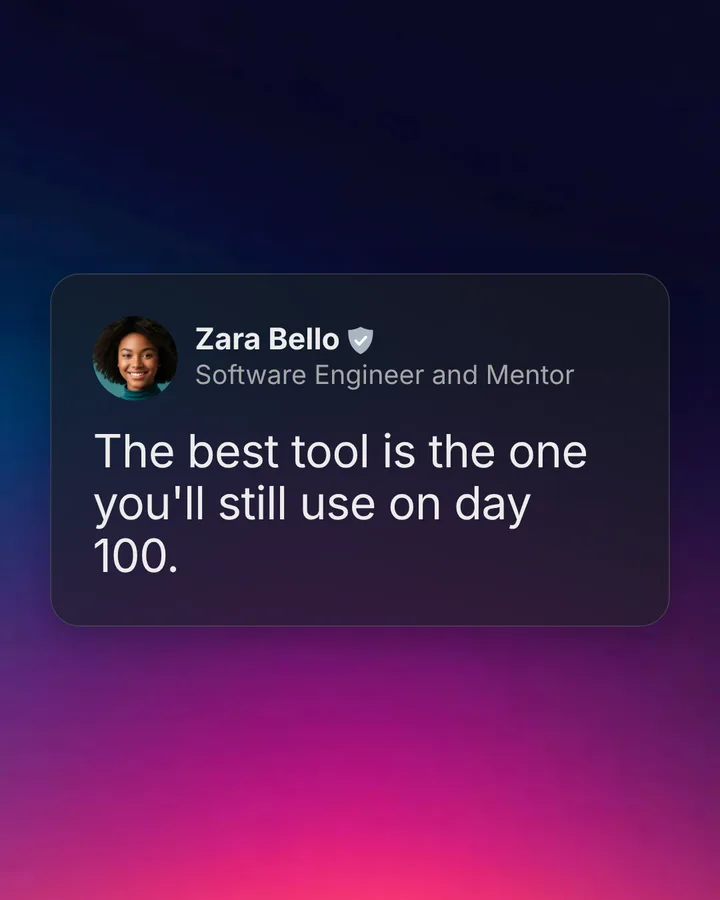
Here is what posting the same quote to Instagram, LinkedIn and an Instagram Story looks like in each tool. The quote is "The best tool is the one you'll still use on day 100."
In Canva
- Search the template library for a quote post and pick one.
- Replace the sample quote, then delete or edit the sample name and photo.
- Adjust the font size until the quote fits without awkward line breaks.
- Download the square version for Instagram.
- Make a copy for LinkedIn and Stories, using the resize tool on a paid plan or rebuilding the layout by hand, then fix the text again.
- Download each version.
In SaidCard
- Open the studio. Your name, handle and photo are already there from last time.
- Paste the quote. It sizes itself to fill the card.
- Download the portrait version for Instagram.
- Switch the size to landscape and download for LinkedIn.
- Switch to Story and download, with safe zone guides keeping the text clear of the profile bar.
Neither workflow is hard. The difference is that one starts from someone else's design and the other starts from you, and that difference is what decides how many days in a row you actually post.
Cost over a year
For someone who posts one quote card a day, SaidCard costs nothing. Canva's free plan also works for quote cards; if you want premium templates, the resize tool and brand kit, Canva Pro is listed at US$144 a year for one person, down from US$180 after a price change in September 2026.
Which should you use?
- Use SaidCard if quotes in your own words are your main content and you want them out fast, in one consistent style, on every platform.
- Use Canva if quote posts are a small part of what you design each week.
- Use both if you're a business: Canva for campaigns and print, SaidCard for the daily thought leadership and quote posts.
If you're weighing other tools too, our roundup of the best quote maker apps in 2026 compares five options on price and watermarks.
How to recreate a Canva quote post in SaidCard
Move your daily quote posts from a Canva template to SaidCard in a few minutes.
Time needed: 3 minutes
- Copy your quote
Copy the text from your Canva design or your notes.
- Open the studio
Open the SaidCard studio and add your name, handle and photo once.
- Pick the closest look
Choose a look such as X, Instagram or Photo Caption that matches your current style.
- Paste and check
Paste the quote. The text fits itself to the card; adjust the theme or font if you like.
- Save it as a template
Download the card, then save the design as a template so tomorrow's post takes seconds.
Conclusion
Canva and SaidCard aren't really rivals; they're built for different days. Canva is your design studio for everything, and SaidCard is the fast lane for the posts you make most often. If daily quotes are how you show up online, try making today's card in SaidCard and compare the time. Read how I tried to grow on social media by posting daily for why that consistency matters.
Frequently asked questions
Is SaidCard a Canva alternative?
For quote cards, yes. SaidCard is a focused, free alternative for tweet style and social quote posts. It doesn't replace Canva for flyers, presentations or print.
Does Canva have tweet style quote templates?
Canva has templates that look like social posts, but you edit the name, photo and text by hand on each one. SaidCard builds the card around your profile automatically.
Is Canva free for quote posts?
Canva has a free plan that works for quote posts. Canva Pro, listed at US$144 a year, adds premium templates, resizing and brand tools.
Does SaidCard add a watermark?
No. SaidCard downloads are full resolution with no watermark.
Can I use SaidCard and Canva together?
Yes. Many creators use Canva for campaigns and SaidCard for daily quote posts, then schedule both in the same tool.